Tesla App – Elvee blog

How to Check Tesla Battery Health

A beginner-friendly guide to checking Tesla battery health using range trends, charging behavior, and practical ownership data.

Elvee for Tesla Editorial Team2026-03-1910 min read
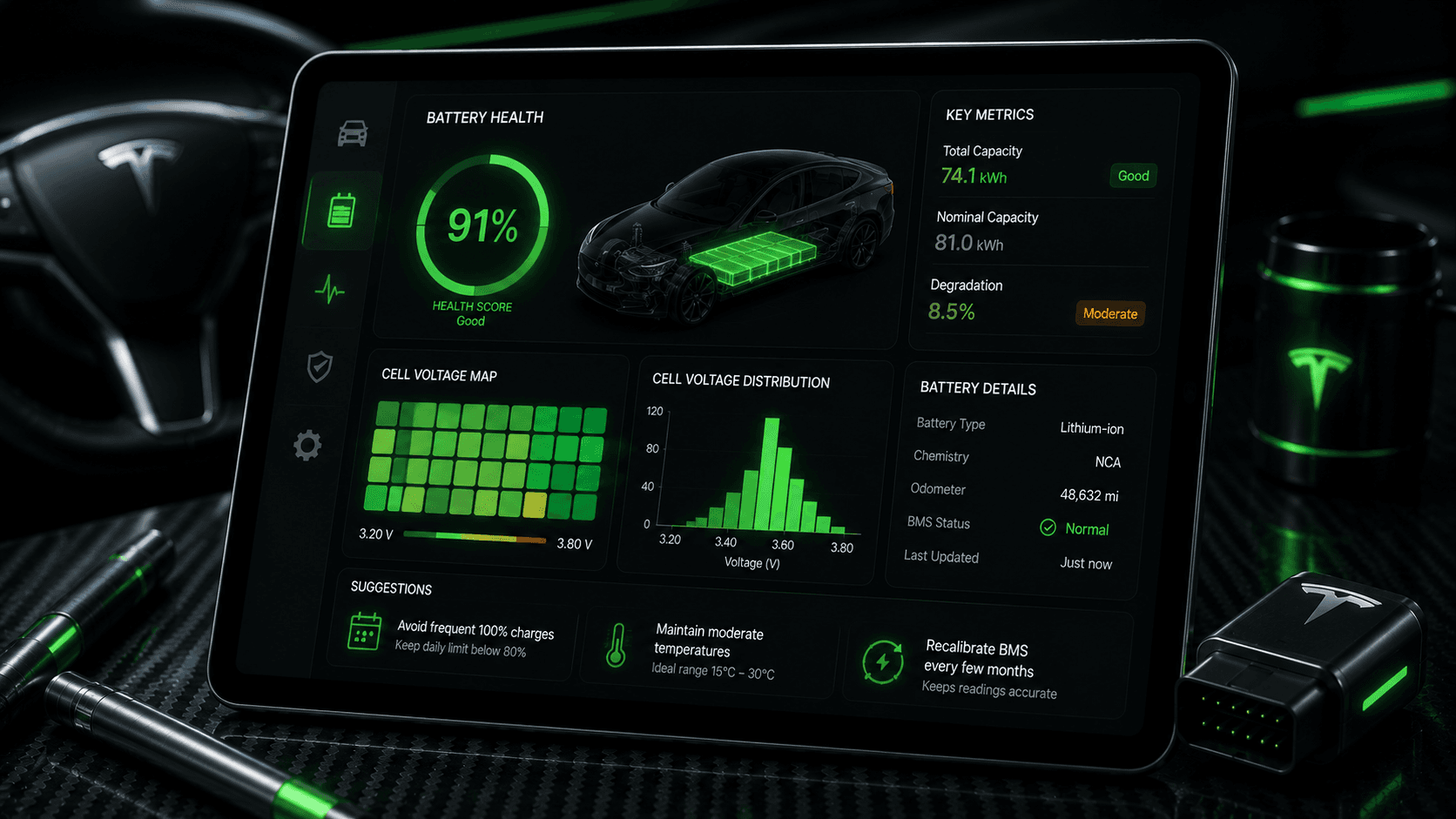
Tesla battery pack visualization under a vehicle with glowing health indicators and premium futuristic lighting.

Table of contents

What Tesla battery health actually means

Battery health is a way of describing how much usable battery performance remains compared with the pack when it was newer. Owners often talk about it as if there is one perfect number, but in reality battery health is better understood as a long-term pattern based on range behavior, charging habits, environment, and time.

That is why checking Tesla battery health is not the same as glancing at one day of displayed range. A single estimate can move up or down for reasons that have nothing to do with long-term battery condition.

The more useful question is not what the number says on a random day. The more useful question is whether the car's trend over time still looks healthy and consistent.

Methods Tesla owners can use to check battery health

Most owners use a combination of methods rather than relying on only one. That gives a more balanced view and reduces the chance of overreacting to a temporary change.

  • Compare rated range over longer periods instead of day to day
  • Look at charging history and how often the car sits at very high or very low states of charge
  • Track efficiency and energy use in normal driving conditions
  • Use an analytics app that shows trends over time

Rated range tracking

Rated range can be a helpful signal, but it should be compared over weeks or months. It becomes less helpful when owners watch it every day and assume every movement means degradation.

Charging behavior review

Your charging routine matters because battery condition is influenced by repeated habits. Owners who regularly leave the battery full for long periods or deep-cycle it unnecessarily may create more stress than those who follow steadier routines.

Trend-based analytics

Trend-based analytics are often the easiest way to make sense of battery health because they turn isolated readings into something easier to interpret over time.

A practical example of checking battery health

Imagine two Tesla owners. The first owner checks the displayed range after every charge and worries whenever the number seems lower than expected. The second owner compares monthly trend data, seasonal weather conditions, and normal charging habits before drawing a conclusion.

The second approach is more reliable. It recognizes that temperature, driving style, and battery calibration can affect what you see in the short term. Battery health becomes easier to judge when the comparison window is longer and the surrounding context is included.

Tip

Use the same kind of comparison each time. Mixing winter readings, road trip weeks, and random charging sessions will make the trend harder to understand.

Common mistakes when checking Tesla battery health

Battery anxiety often comes from reading normal variation as if it were permanent degradation. That is understandable, but it is also avoidable.

Common mistakes

  • - Judging battery health from one charging session
  • - Confusing cold-weather range drop with battery damage
  • - Ignoring usage and charging context when comparing readings
  • - Treating every small change in rated range as long-term loss

Where Tesla App - Elvee can help

Tesla App - Elvee is useful here because battery health makes more sense when it is part of a broader trend view. Owners often benefit from seeing charging behavior, energy history, and battery-related context together rather than as isolated snapshots.

That does not replace careful interpretation, but it does make the information easier to follow over time.

FAQ

How do I check Tesla battery health at home?

Most owners check Tesla battery health by looking at long-term rated range trends, charging habits, and analytics over time rather than relying on a single reading.

Does a lower rated range always mean battery degradation?

No. Rated range can move because of calibration, weather, and usage conditions. It becomes more meaningful when tracked consistently over longer periods.

Can Tesla App - Elvee help track battery health?

Yes. Tesla App - Elvee is designed to give owners clearer visibility into battery trends, charging behavior, and related ownership analytics.

Conclusion

Checking Tesla battery health is less about finding one magic number and more about learning how to read the trend calmly and consistently.

Owners who compare data over time and include charging context usually get a far more accurate picture than owners who react to one reading in isolation.

Suggested internal links

Suggested external references

CTA

Need clearer Tesla battery and charging insight?

Tesla App - Elvee helps owners track charging, battery trends, and daily vehicle analytics without turning every metric into noise.